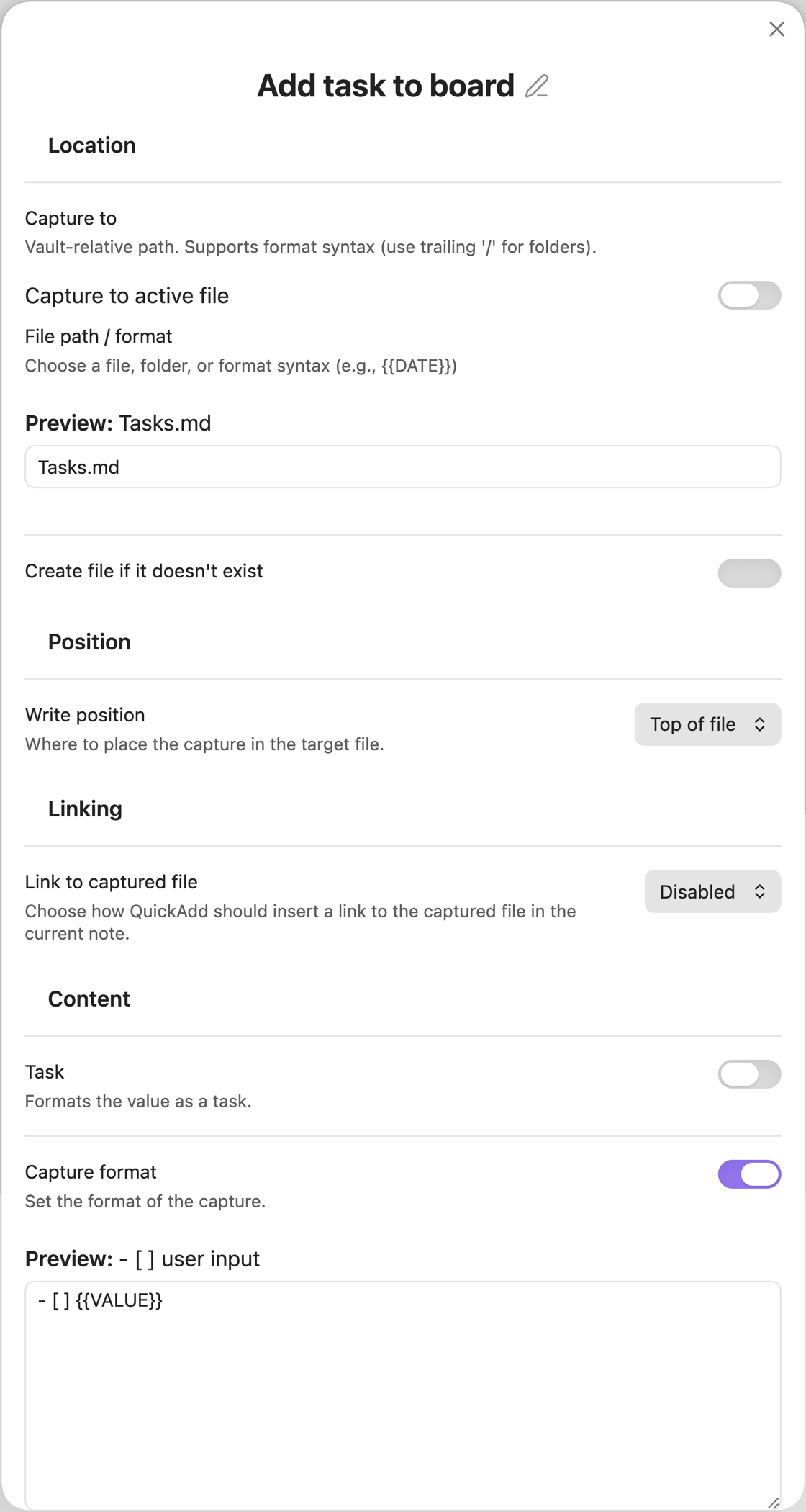
Capture: Add a Task to a Kanban Board
This will add a task to the chosen Kanban Board.
In Capture to, select the board.
Enable the Task toggle.
Set Write position to After line…, then in the Insert after field that appears, write ## followed by the name of the lane you want to add the task to.
In my case, I want to add tasks to a lane called Backlog, so it becomes ## Backlog.
If you want, you can experiment with the format syntax - you could, for example, experiment with adding dates and times.
To add a date for a task, you could just write {{VALUE}} @{{{DATE}}} in the format syntax. This would add the current date as the date for the card.
You could also use {{VALUE}} @{{{VDATE:DATE,gggg-MM-DD}}} to get asked which date you want to input.
Read more about format syntax here.